

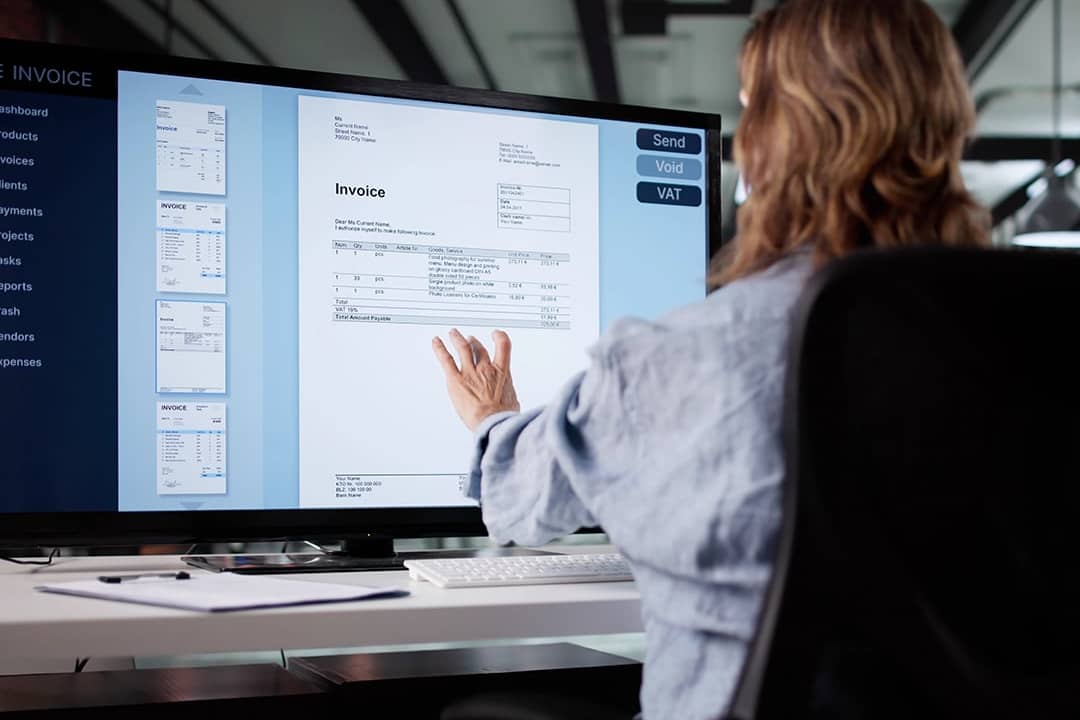
Andrey_Popov // Shutterstock
How to automate invoice coding in accounts payable
As a controller at a growing company, you spend a disproportionate share of your close week on invoice coding. You assign general ledger (GL) accounts, cost centers, and dimensions to vendor bills that move through accounts payable (AP). The work is mechanical, but it carries real consequences for the ledger and the close.
Invoice coding sits early in AP, but its consequences land at close. Controllers can reduce internal controls for accounting issues by standardizing coding rules, cleaning the chart of accounts, and piloting automation on low-risk invoices. The goal is to make coding discipline part of the close control environment. The framing matters for finance leaders who own the financial close process.
Accurate coding is a close-cycle control point that the controller owns at month-end, and coding mistakes rarely show up right away. Better coding discipline can give finance teams cleaner reporting before leadership asks for the numbers. Use the information below from Brex to help inform your decision, and consider working with an appropriate professional advisor based on your specific circumstances.
What is invoice coding in accounts payable?
Invoice coding is the process of assigning accounting dimensions to a vendor invoice before it posts to the enterprise resource planning (ERP) software. Those dimensions include the GL account, which indicates the expense type. They also include the cost center or department, dimensions such as project, location, or entity for multi-entity accounting, and the tax code. These assignments determine how the expense appears on the profit and loss (P&L) statement and in budget reports.
The GL code is the account number in the chart of accounts that categorizes the expense type, such as 6100 for office supplies or 5200 for software subscriptions. The cost center identifies the department or unit that owns the spend. Together, they pair the financial nature of a transaction with its operational context, so spend is categorized by both what it is and who is responsible for it. When coding is done wrong, the expense lands in the wrong bucket on the P&L and in the wrong department’s budget report. Correcting it often requires a reclassification, a separate accounting event that creates rework and can weaken the clean record your books are supposed to maintain.
Coding is one step within the broader invoice processing lifecycle. Strong accounts payable management treats coding accuracy as a core control over the ledger. For controllers, invoice coding is a close-quality input, one that shapes what appears on the P&L and in departmental reports before leadership asks for the numbers.
Common invoice coding formats
Most coding systems combine two or three of the same basic elements. A department or entity identifier pairs with a numeric expense category, and larger companies often add a project, location, or cost center segment on top. Software subscriptions might code as SW-6400, where the letters flag the software category and the number ties to the specific GL account. A travel expense tied to a specific client engagement might carry a hybrid code like CLNT12-TRV-04, combining the project, expense type, and region into one string.
Say a company receives a $1,200 monthly invoice for a project management tool used by its engineering team. The AP clerk would code the line item to a software GL account (5400), tag the engineering department (Dept 210), and apply a tax-exempt code if the software qualifies for exemption in that state. That single line then rolls up into engineering’s software spend for the month, without anyone needing to ask what the charge was for. Formats like this scale differently across company size. A ten-person startup might get by with a GL account and nothing else, while a multi-entity company often needs department, project, and location segments on every line just to keep intercompany allocations straight.
PO invoices vs. non-PO invoices in the coding process
A purchase order (PO) invoice arrives with a pre-approved purchase order attached, so coding is largely predetermined. The GL account, cost center, and project are already assigned at the PO stage. SAP defines automatic account determination as the process of identifying GL accounts for accounting-relevant transactions without user intervention. Oracle Fusion Payables also creates invoice distributions from purchase order distributions when an AP clerk matches an invoice to a PO.
A non-PO invoice arrives without a purchase order, so the AP team determines the coding from scratch. Staff use vendor history, invoice descriptions, and judgment, which can lead to inconsistent coding. Non-PO invoices can carry more coding risk because there’s no independent reference for validation. For controllers building toward automation, non-PO invoices generally require more careful rule design.
The matching step that validates PO invoices relies on invoice matching, which provides the independent coding reference that non-PO invoices lack. Oracle states that matching helps ensure payment only for goods and services ordered, received, or consumed, and NetSuite describes how teams can address invoice discrepancies early in the process. The PO-vs-non-PO distinction matters because automation works best when it starts with transactions that have a clear approval history.
What are the benefits of invoice coding?
Done consistently, invoice coding supports cleaner financial statements, faster close cycles, and more reliable departmental reporting. The benefits build on each other: Accurate coding at entry means fewer corrections at close, and fewer corrections mean cleaner reporting when leadership pulls the numbers.
Accurate financial statements and cleaner budget reporting
When invoices post to the right GL account and cost center, the P&L reflects actual spend by category. Budget-versus-actual reports stay reliable, so budget owners can review their spend without you manually reconciling discrepancies. Variance analysis becomes a focused conversation about spending decisions rather than a data cleanup exercise. That reliability compounds over a fiscal year, since each accurate month makes trend reporting and forecasting easier to trust.
Faster month-end close with fewer reclassifications
Each invoice that posts to the right GL code reduces the need for reclassification journal entries at close. For controllers managing close at a growing company, cutting even five reclassifications per period can recover hours of close-week time and bring leadership reporting forward. Fewer reclassifications also mean fewer late edits to numbers that budget owners have already reviewed, which keeps trust in the reporting process intact.
A shorter correction log supports audit readiness
A consistent correction log signals a controlled AP process to auditors and M&A reviewers. When coding is accurate at entry, the reclassification count stays low, and the audit trail is harder to question. Controllers with clean coding records spend less time explaining ledger history during fieldwork, which frees up bandwidth during what is already a demanding season for the accounting team.
More reliable departmental reporting for budget owners
Department heads depend on cost center coding to track their actual spend. When the same vendor codes consistently to the right cost center month after month, departmental budget reports become a planning tool rather than a source of questions. Consistent coding reduces the back-and-forth between AP and budget owners during review, and it gives department heads confidence that the numbers they’re planning against actually reflect their spend.
Tracking accounts payable metrics, such as reclassification count per close, gives you the data to measure all four of these benefits before and after any coding change. The best AP automation software makes tracking easier by automatically capturing exception and correction data. Comparing that count month over month is often the simplest way to show leadership that a coding change is actually paying off.
Why manual invoice coding breaks down and costs you at close
Invoice coding errors are easy to miss at entry and expensive to fix at close. The problem compounds as headcount and volume grow. What one experienced AP clerk once tracked in memory becomes a source of inconsistency the moment a second person joins the queue. Understanding both failure modes is what makes the case for governance and automation.
Coding errors stay invisible until reconciliation
When an AP clerk assigns the wrong GL account to an invoice, nothing breaks at the point of entry. The invoice may still be approved and paid, and the transaction posts to the ERP under the wrong code. The error surfaces during accounting reconciliation, which happens at close. By then, correcting the record requires a reclassification journal entry that reverses the original posting and restores the correct one. Ardent Partners reports an overall average exception rate of roughly 14% of invoices requiring manual research and rework, compared with about 9% at higher-performing AP organizations.
Fewer reclassification entries protect close time
Reclassifications require identifying the error, creating a reversing entry, creating a correcting entry, and documenting the rationale for the audit trail. Each one costs time during the same week your team is finalizing accruals, reconciling accounts, and preparing leadership reporting. Auditors test journal entries and adjustments for evidence of possible material misstatement, and for companies in an M&A process, analysts may examine past journal entries as potential diligence adjustments. Keeping the reclassification count low protects both close time and the audit trail. Reducing human error in accounting is one of the workflows finance teams commonly target first when they bring AI into policy and coding controls.
Informal rules do not hold as the team grows
Many AP teams code invoices by pattern-matching, with rules like “vendor X usually goes to GL Y” that live in one person’s memory. This works at low volume. It breaks when the team adds headcount, someone leaves, or invoice types expand past what any single person can track. A written policy turns that institutional knowledge into a reference that the whole team can consult, and it keeps the coding logic intact even when the person who built it moves to a different role.
Inconsistent coding fragments the GL account history
When two AP staff members code the same vendor differently across two months, the GL history for that vendor is split. The same software subscription lands in software expense one month and technology subscriptions the next, triggering variance flags that budget owners have to explain. Tracing it back to an inconsistency from six weeks ago is exactly the kind of close-week distraction a documented coding policy prevents.
How do you automate invoice coding?
Automating invoice coding is a step-by-step project, starting with the data you already have and ending with touchless coding you can trust. Each step builds on the one before it, and the right sequence reduces automation risk before invoices start posting without review. Most controllers move through five stages, from a historical data audit through a pilot and into expanded touchless coding.
This framework is educational. Specific coding policies, capitalization thresholds, tax-sensitive coding, and accounting treatment should be reviewed with your accounting advisors and aligned to your company’s policies and applicable standards. The sequence below describes common practice rather than a prescription for any single company’s chart of accounts.
Auditing historical coding data
Controllers preparing to automate typically start by pulling 3 to 12 months of coded invoice history and grouping it by vendor, GL account, and cost center. The output is a ranked list of vendor-to-GL combinations sorted by consistency and volume. Vendors that code to the same GL and cost center a high percentage of the time are candidates for rule-based automation. Vendors with high variance across the period typically stay in manual review until their patterns stabilize.
That audit often surfaces chart-of-accounts cleanup, which most controllers handle before automation goes live. Inactive GL codes still in active use, cost centers that no longer match the org structure, and project codes applied inconsistently across invoices all tend to surface here. Clean vendor management data can improve automation reliability, and research on AI invoice processing identifies vendor master data quality as a primary constraint, so many controllers handle this cleanup before configuring automation.
Defining coding rules and no-go categories
For each high-consistency vendor, controllers write an explicit rule mapping the vendor name or ID to a GL account, cost center, and any required additional dimensions. Rules also specify conditions such as amount ranges, invoice types, or entities, so a rule doesn’t get applied where it doesn’t belong. Hypatos describes deterministic vendor-to-GL mappings as a foundation for automated account determination. This step also defines which dimensions are mandatory for AP transactions, such as GL and cost center for operating expenses, and which are conditional, such as a project code only for billable engagements, and which are optional.
The no-go list matters just as much as the rules themselves, and most controllers put it in place before go-live. Expense recognition principle decisions above the capitalization threshold typically route to manual review, along with intercompany transactions, tax-sensitive coding, and multi-entity allocations. That pattern is consistent with controller guidance on human authorship for high-risk AI workflows. The same conservative rule tends to apply to invoices with free-form descriptions and no vendor history, even when a confidence score appears high.
High-risk categories, like tax-sensitive coding and multi-entity allocations, tend to remain under human review the longest. Automation expands into a given category only after review, sign-off, and evidence rules for that category are documented. That restraint protects the ledger while automation matures, and it means the earliest automation wins tend to come from the invoices with the strongest rule evidence, not the riskiest categories.
Configuring the system and setting confidence thresholds
Once the rules and no-go list exist, controllers load them into the accounts payable software tools workflow and configure the confidence threshold. The confidence threshold is the minimum certainty score the software must reach before applying a code without human review. Forrester notes that AP automation success depends on confidence thresholds, auditability, exception quality, and escalation discipline. The accuracy of this step depends on clean capture, since a strong optical character recognition (OCR) layer that extracts invoice data correctly is the foundation on which the rules are built.
Below the threshold, the software suggests a code and flags the invoice for AP review. Above it, the code applies automatically. Starting with a conservative threshold tends to preserve trust, because it’s usually easier to lower one that’s too cautious than to recover trust from automation that miscodes at volume. Validation rules act as a second layer of guardrails on top of the threshold itself.
Those validation rules generally check GL codes against the approved chart of accounts. They also require that a cost center be assigned for operating expenses above a set amount, and that a project code be present for any vendor tagged to a billable engagement.
Piloting on a low-risk invoice subset
The first phase of automation usually runs on PO-backed invoices from high-volume recurring vendors. These tend to be lower-risk candidates because the purchase order distributions provide an independent coding reference, and invoice matching can validate invoices before they reach the coding step. Practitioner guidance on AI GL coding puts a typical pilot in the range of 100 to 300 invoices, reviewed by hand, before the workflow moves into production.
Three numbers matter during the pilot. The auto-coded rate shows how many invoices the software is handling on its own, while the accuracy rate tracks how often those auto-coded invoices are accepted without correction. Reclassification count accounts for whether coding errors are increasing or decreasing relative to the pre-automation baseline. A pilot that spans a full close cycle gives controllers enough data to separate a stable pattern from a lucky month.
Expanding touchless coding based on accuracy results
After the pilot, controllers review the pilot metrics against their accuracy threshold. Vendor-category combinations that consistently clear the threshold are ready for touchless coding, while combinations that don’t clear it stay in the suggest-and-review queue. Building a feedback loop, so corrections from AP reviewers update the rule for that vendor or reduce the confidence score for that category, is what keeps the system improving instead of stalling at its launch accuracy.
Without that feedback loop, automation tends to plateau rather than improve. Many controllers schedule a quarterly rule review for this reason, since coding rules drift as the org structure changes. A department gets renamed, a GL code gets retired, a new entity gets added, and rules referencing outdated dimensions can produce errors that don’t surface until review. Quarterly maintenance turns invoice coding from a memory-based task into a governed accounting process, and connecting it to the broader automated invoice processing workflow keeps the pipeline consistent.
Frequently asked questions about invoice coding
What is invoice coding in accounts payable?
Invoice coding is the process of assigning accounting dimensions to a vendor invoice before it posts to the ERP, including the GL account, cost center, and any additional dimensions like project, location, or tax code. These assignments determine how the expense appears on the P&L and in departmental budget reports. That makes coding a close-quality control point.
What is the difference between invoice coding and invoice processing?
Invoice processing covers the full lifecycle of a vendor bill from receipt through payment, including capture, validation, coding, and approval. Invoice coding is one step within that process, the step that assigns the GL accounts and dimensions, categorizing the expense. Accounts payable coding gives each invoice its accounting identity before it reaches the ledger.
What causes invoice coding errors?
Common causes include inconsistent application of coding rules among AP staff, ambiguous invoice descriptions that require judgment, and gaps in the chart of accounts. Chart-of-accounts gaps appear when no clear GL account exists for an expense type. In automated workflows, errors typically result from insufficient vendor history, outdated rules after an org restructure, or confidence thresholds set too broadly.
Can invoice coding be automated?
Invoice coding can be substantially automated for recurring vendors with consistent coding patterns, using rule-based logic and AI trained on historical data. Automation works best when the vendor, GL account, cost center, and approval history are predictable. New vendors, ambiguous descriptions, and complex allocations should be routed to human review for accuracy.
What is GL coding in accounts payable?
GL coding in accounts payable is the assignment of a general ledger account number to each line item on a vendor invoice. The GL code categorizes the expense type and determines where the transaction appears on the income statement. It’s the core dimension in invoice coding, with cost center and project codes added for more granular reporting.
Who is responsible for invoice coding?
Responsibility for invoice coding typically depends on company size and structure. Small businesses usually have the owner or a bookkeeper code invoices directly. Mid-sized companies generally assign the work to AP staff or department managers who know the vendor relationships. Larger organizations tend to run coding through a dedicated AP team with structured approval workflows, often supported by software that suggests or applies codes based on vendor history and past transactions.
This story was produced by Brex and reviewed and distributed by Stacker.